LibreOffice iconLibreOfficeGet
LibreOffice icon

LibreOffice

Free open-source office suite

The Document Foundation · Productivity

VerifiedFree
Get — Official Source

Link verified · points to the developer’s official site

See 3 alternatives ›

Rating

3.6

9.8K · Google Play (LibreOffice Viewer)

Trust

8/9

checks passed · Jul 17, 2026

Platforms

2

Windows, macOS, Linux

Chart

#2

Productivity

Trust Report

See Details ›

Independently checked by Altapp where possible; developer-reported data is labeled as such. Last full review: Jul 17, 2026.

Verified Source

Builds are signed and reproducible from public source code.

  • PGP .asc signature published alongside every installer on official mirrors
  • MD5/SHA-1/SHA-256 checksums available via the download details pages
  • Full source code public under MPL-2.0 (git.libreoffice.org, GitHub mirror)
  • Distributed from documentfoundation.org infrastructure and vetted mirrors

Data & Permissions

No trackers, no ads, no account required.

  • 0 trackers in the Android Viewer app (open-source, F-Droid listed)
  • Android app requests only storage permissions to open documents
  • Desktop suite works fully offline; no account or sign-in exists
  • No advertising or behavioural analytics; TDF publishes a public privacy policy

Known Risks

Actively patched, but a large attack surface for malicious documents.

  • CVEs disclosed and patched via a formal security advisory process (e.g. CVE-2025-0514, CVE-2025-14714 fixed in-line)
  • No recent full independent third-party audit of the entire codebase
  • Fully open-source model allows continuous public code review
  • Very active development: two major releases per year plus monthly bugfix updates

Verification reflects the version listed above. Practices may change between releases. How we verify ›

Our verdict: the most complete free office suite you can install — open source, signed builds, and zero telemetry make it an easy recommendation.

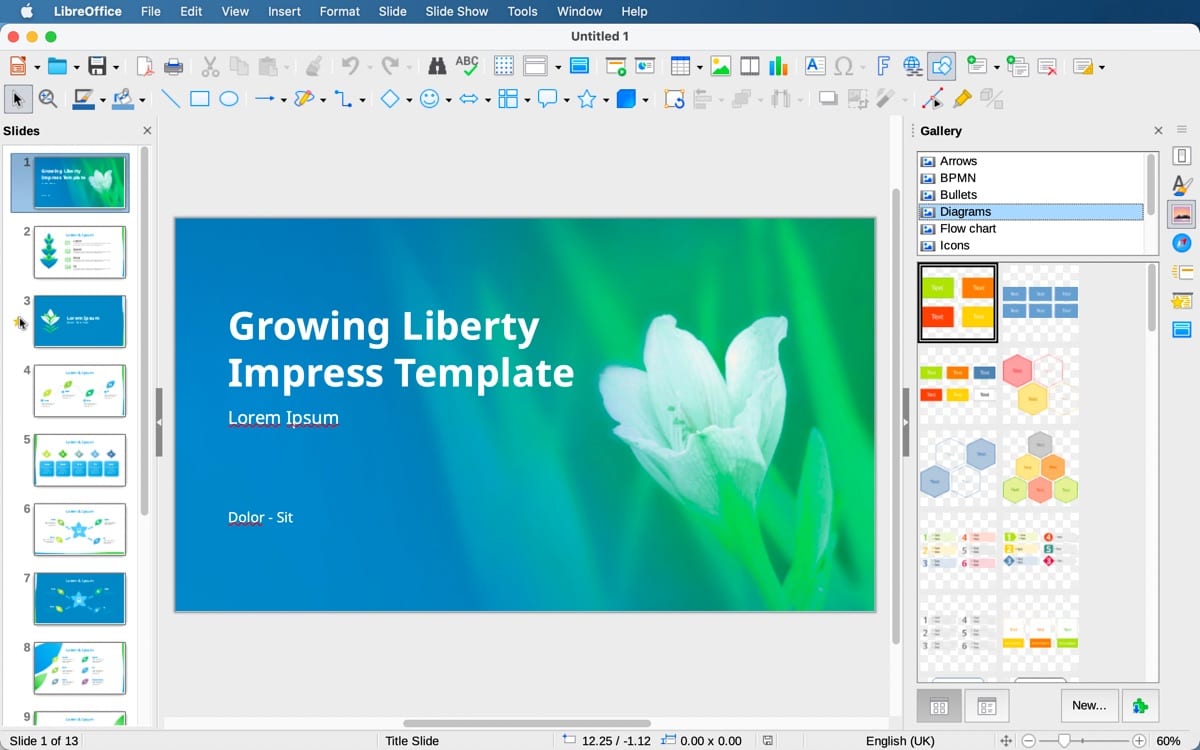
LibreOffice is the flagship project of The Document Foundation, a Berlin-based non-profit, and the direct successor to OpenOffice. The suite bundles a word processor (Writer), spreadsheet (Calc), presentations (Impress), vector drawing (Draw), formula editor (Math) and database front-end (Base), all built around the vendor-neutral OpenDocument Format with strong compatibility for Microsoft Office files from 97 through 365.

Version 26.2, released in February 2026, focuses on performance and smoother handling of complex documents, and the suite ships in 120 languages. Every release is published with PGP signatures and cryptographic checksums, the entire codebase is open for inspection under the Mozilla Public License 2.0, and the desktop application collects no usage data — a rare combination of depth and restraint in modern productivity software.

Alternatives to LibreOffice

See all 3 ›

Member reviews

LinkedIn-verified members

No reviews yet — be the first.

Sign in to write a review ›

Frequently asked questions

Is LibreOffice free?

Yes — the pricing listed at our last review is “Free”.

Is LibreOffice safe to use?

Altapp's independent Trust Report (last full review Jul 17, 2026) shows 8/9 checks passed, covering source verification, data & permissions, and known risks. Verification reflects the version listed on this page.

Which platforms does LibreOffice run on?

Windows 10+ · macOS 11+ · Linux.

What are the best LibreOffice alternatives?

ONLYOFFICE, Nextcloud, Notion — each with its own verified Trust Report on Altapp. See the full list ›

Information

Developer
The Document Foundation
Size
355 MB
Category
Productivity
Compatibility
Windows 10+ · macOS 11+ · Linux
Languages
English +119 more
License
MPL-2.0
Country
Germany
Latest Version
26.2.4 · June 2026

Developers: get the Altapp Verified badge ›